You have been inactive for some time. We automatically sign users out after 15 minutes of inactivity for their safety.

Get stuck?
If you have any questions, big or small, please call our 5-star customer support line, toll free:
1-866-665-2787
Mon-Fri, 9am-8pm EST




Instructions
Watch the video or follow the screenshots below
Go to add-ins
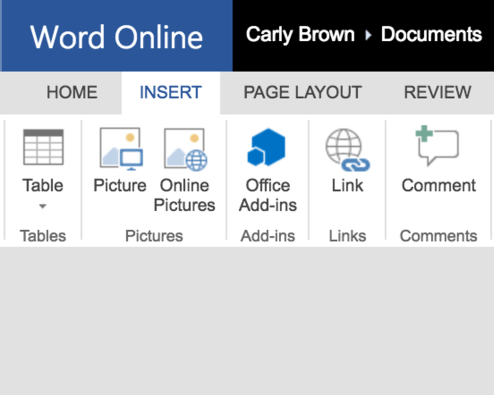
Open Microsoft Word, navigate to the "Insert" menu option, and select "Office Add-ins."

View Store
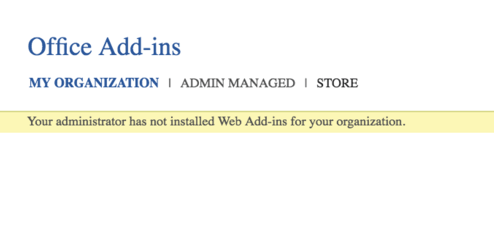
In the Office Add-Ins dialogue box, select "Store."

Search and add
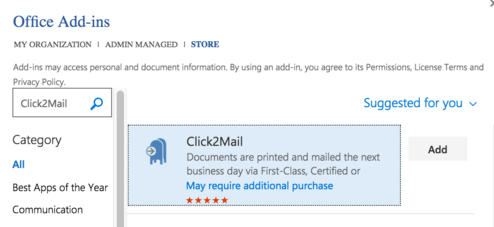
In the search box, type in "click2mail". When it appears on the right, select "Add."

Open Add-in
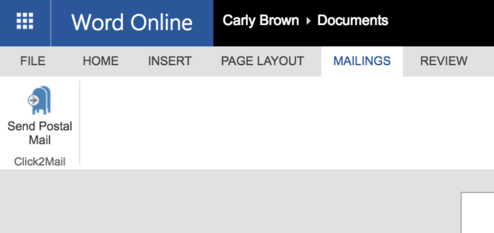
Once the add-in is installed, navigate to the menu option "Mailings" and select "Send Postal Mail."
Welcome
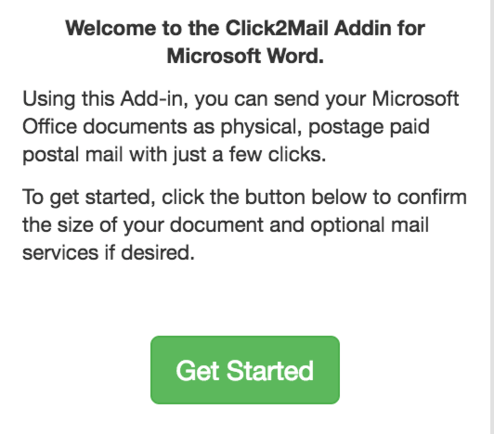
On the right-hand side of the screen, a welcome message will appear. Select the green "Get Started" button.
Choose type
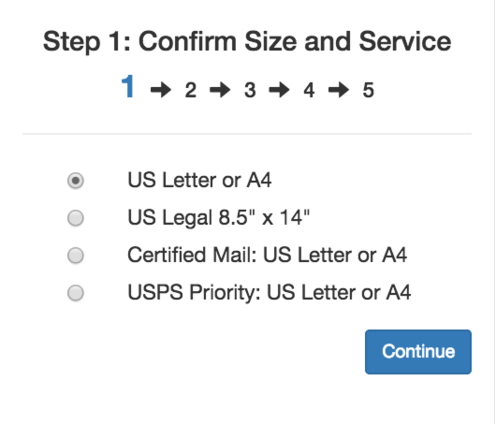
Select the size and service you would like to use to mail your document(s) and hit continue.
Load doc
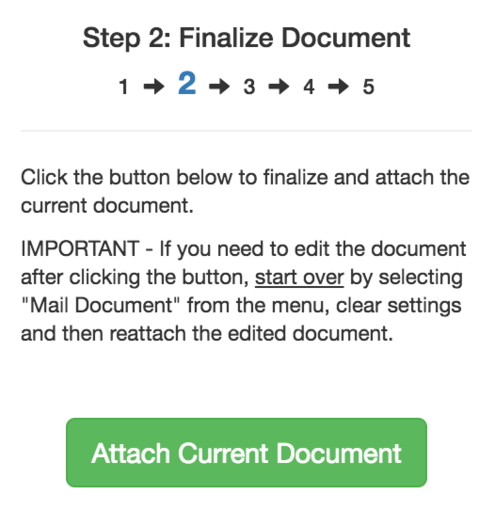
If your document is ready to mail, select the green button to finalize your mailing and proceed.
Note: You'll need to start over if the document requires further editing.
Add recipients
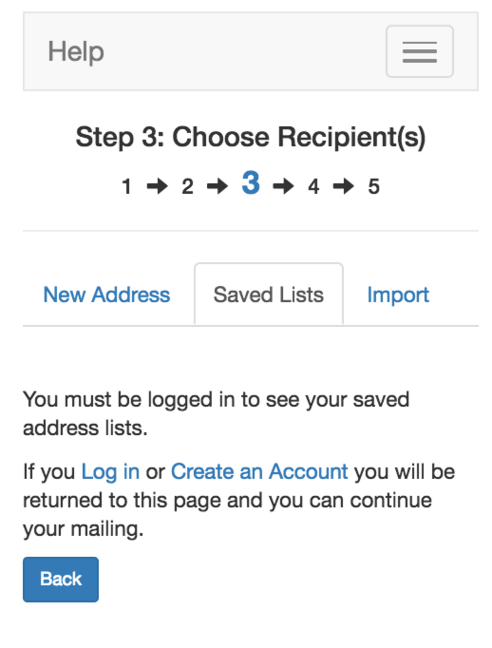
You can send to one address or a list of addresses.
If the single address is in the document, use your mouse to highlight the address in the document and select "Pre-Fill Address". The data fields will automatically populate.
To send to a list of addresses, select "Import" and upload a .xls or .csv.
Creating a free account will store your lists for future use.
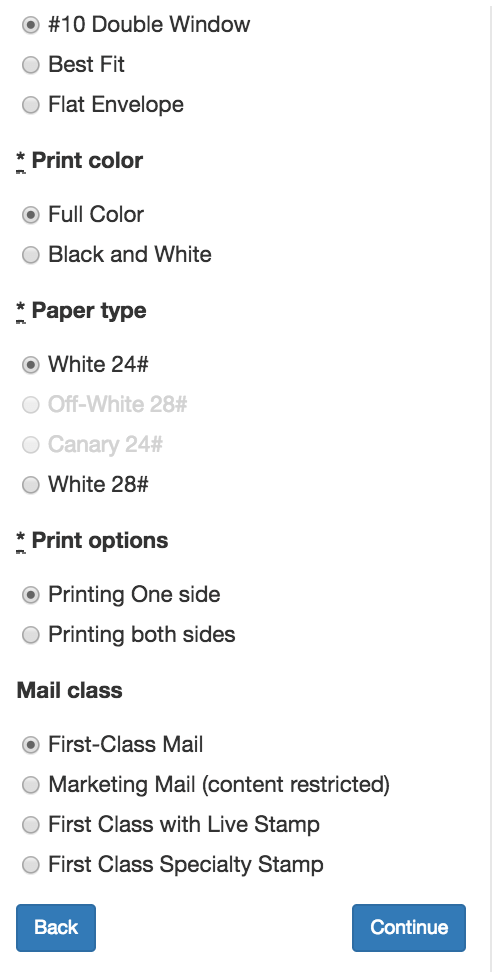
Choose options
Use this step to select how you want your mailpiece to look.
Choose the envelope type, colors, paper type, print options, and mail class.
Select continue when finished. You can select back to return to this screen and change your job.
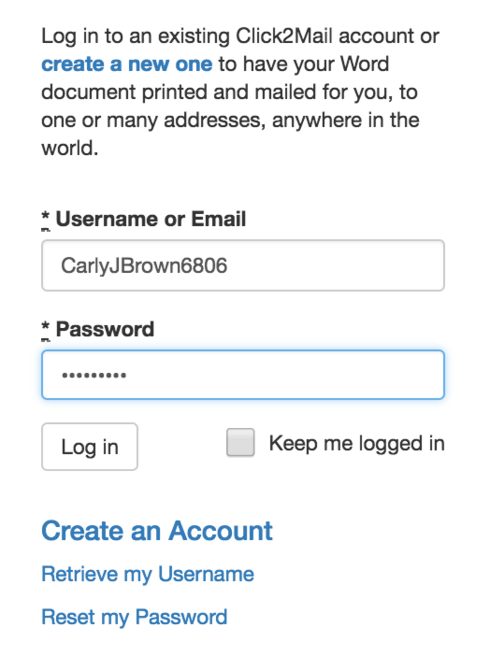
Create account
If you haven't created a free Click2Mail account yet, you'll need to do so and log in to continue.
Note: Your Click2Mail account works with any of Click2Mail's mailing products.
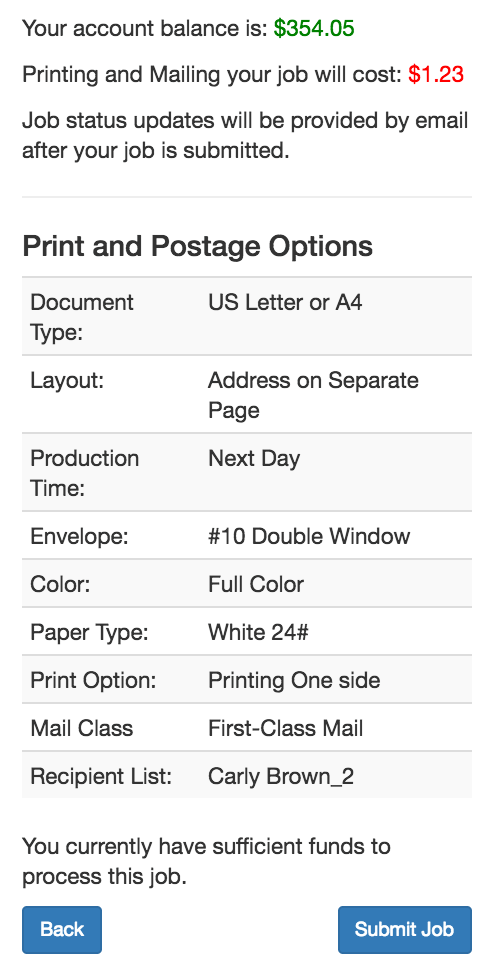
Add credits
You'll see the total cost of your mailing and will be able to add credits without leaving Word.
After adding credits, review your options and when satisfied, select "Submit job".
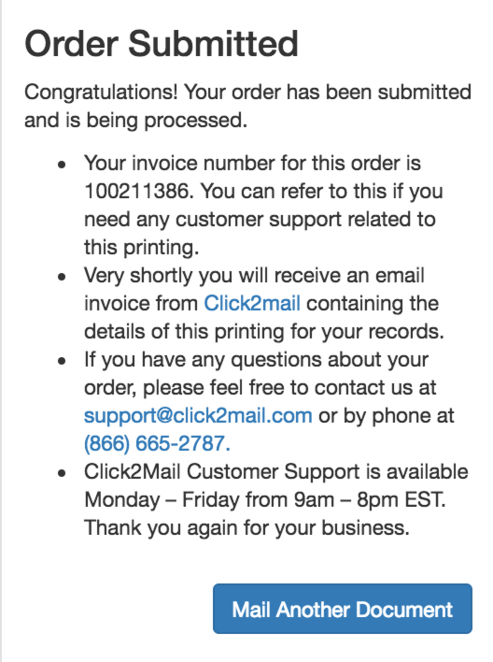
You're done!
Your order is complete. You'll receive an email confirmation shortly.
Click2Mail's top-rated support staff is available to help by phone at 866-665-2787 .

Headquartered in Arlington, Virginia, Click2Mail creates affordable cloud-based postal mailing technology that serves thousands of small- and mid-volume corporate, nonprofit, member-based, academic and municipal organizations. To learn more about the company, visit Click2Mail.com, call 866-665-2787 , or send a message through our Facebook page. Make mail easy®.
About Click2Mail
Lee Garvey, founder and CEO

Step-by-step instructions

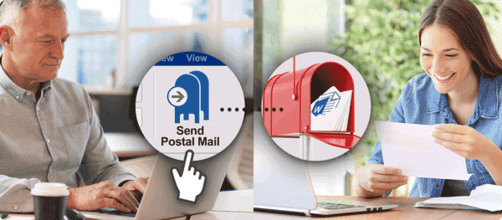
Use Click2Mail's Microsoft Office Add-In to mail your documents in Microsoft Word
By replacing the printing, postage, and post office runs with a few clicks, this powerful Microsoft Word add-in saves users time and money.